Description: Deprecated as the project is no longer maintained: https://adoptopenjdk.net/upstream.html. This package now installs Adoptium Temurin. OpenJDK is an open source Java Development Kit provided by Oracle
Description: Deprecated as the project is no longer maintained: https://adoptopenjdk.net/upstream.html. This package now installs Adoptium Temurin. OpenJDK is an open source Java Development Kit provided by Oracle
Description: Java allows you to play online games, chat with people around the world, calculate your mortgage interest, and view images in 3D, just to name a few. It's also integral to the intranet applications and other e-business solutions that are the foundation of corporate computing.
### Note
This is just a metapackage for the latest JRE (currenly JRE 8). Have a look at the [jre8 package](/packages/jre8) for more details.
Description: By default this package installs JDK according to your platform (x86 or x64).
To force x86 (32bit) installation on 64 bit systems
```
choco install jdk8 --x86
```
or
```
choco install jdk8 --forcex86
```
Note that params "i586=true" and "x64=false" are deprecated.
if you install by
```
choco install jdk8 -params "both=true"
```
then
Both 32bits and 64bits JDK will be installed and 64bits will be defaults.
By default this package installs JDK with source codes(zip).
If you don't want to install source codes
```
choco install jdk8 -params "source=false"
```
If you want auto update
```
choco install jdk8 -params "static=false"
```
If you want to specfiy install directory (you need \\\\ for escape)
```
choco install jdk8 -params 'installdir=c:\\java8'
```
Description: Java allows you to play online games, chat with people around the world, calculate your mortgage interest, and view images in 3D, just to name a few. It's also integral to the intranet applications and other e-business solutions that are the foundation of corporate computing. Please note you now need a Java License from Oracle to use unless installed for Personal Use and Development Use.
### Note
This package installs the Java version offered at https://www.java.com. It also sets `SPONSORS=0` ([see docs](http://docs.oracle.com/javase/7/docs/webnotes/install/windows/jre-installer-options.html#running)).
If you wish to only install the 32-bit version of Java use the /exclude parameter. The switch to exclude 32-bit is /exclude:32 and to exclude 64-bit /exclude:64
For example: choco install jre8 -PackageParameters "/exclude:64" -y
You then need to tell Chocolatey to save that parameter for future upgrades by running choco feature enable -n=useRememberedArgumentsForUpgrades
This package no longer manually adds an environment variable.
x86 installs of Windows you can expect to see an error while reading the registry, but the script will still function normally.
This package can install 32-bit, 64-bit, or both versions. Find on [GitHub](https://github.com/proudcanadianeh/ChocoPackages/tree/master/jre8/master)
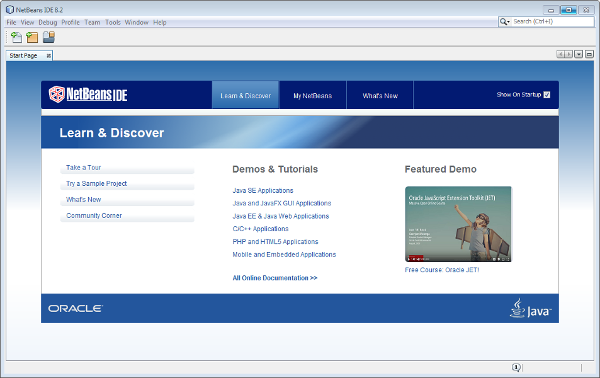
Description: NetBeans is an integrated development environment for programming in Java and many other languages.
This package corresponds to the complete bundle, which includes this languages :
- Java SE
- Java EE
- HTML5/JavaScript
- PHP
- C/C++
And it install GlassFish Server runtimes.