Description: ### Overview
This package adds the .NET Desktop Development workload to an existing installation of Visual Studio 2022 (Enterprise, Professional or Community).
The lists of components included in this workload in respective Visual Studio 2022 products are shown here:
- [Enterprise](https://docs.microsoft.com/en-us/visualstudio/install/workload-component-id-vs-enterprise?view=vs-2022#net-desktop-development)
- [Professional](https://docs.microsoft.com/en-us/visualstudio/install/workload-component-id-vs-professional?view=vs-2022#net-desktop-development)
- [Community](https://docs.microsoft.com/en-us/visualstudio/install/workload-component-id-vs-community?view=vs-2022#net-desktop-development)
Visual Studio 2022 must be installed first, for example using Chocolatey packages: [visualstudio2022enterprise](https://chocolatey.org/packages/visualstudio2022enterprise), [visualstudio2022professional](https://chocolatey.org/packages/visualstudio2022professional), [visualstudio2022community](https://chocolatey.org/packages/visualstudio2022community).
There may be potentially some dependencies that could be installed before this package. These dependencies will vary based on the targeted Visual Studio 2022 package. For example:
netfx-*-devpack packages (generally one from netfx-4.7.2-devpack to netfx-4.8.1-devpack).
dotnet-x.y-runtime, dotnet-x.y-aspnetruntime, dotnet-x.y-desktopruntime, dotnet-x.y-sdk where x.y may be 6.0, 8.0, 9.0, etc.
Please look at the relevant Visual Studio 2022 documentation for your specific scenario (latest version, specific version, LTS version, ..), or figure it out modelling the deployment of this workload on Visual Studio Installer.
### Customizations
The package passes all package parameters to the Visual Studio installer, enabling full customization of the installation. The possible parameters are [described here](https://docs.microsoft.com/en-us/visualstudio/install/use-command-line-parameters-to-install-visual-studio?view=vs-2022). The package passes `--norestart --includeRecommended` by default, and `--quiet`, unless `--passive` is specified in the package parameters.
By default, the package installs components required by and recommended for the workload. Package parameters can be used to adjust this behavior:
- `--no-includeRecommended` - Does not include the recommended components.
- `--includeOptional` - Includes the optional components.
By default, the package will detect installed Visual Studio products and add the workload to all products that support it and do not have it installed already.
In order to act on one specific product when several are installed, the product needs to be indicated to the package via parameters, either:
- `--installPath` - the path where the product is installed, for example "C:\Program Files (x86)\Microsoft Visual Studio\2022\Enterprise"
or (both are needed):
- `--productId` - the identifier of the product, for example "Microsoft.VisualStudio.Product.Enterprise"
- `--channelId` - the release channel, should be "VisualStudio.17.Release"
Example 1. Installing the workload on all products, including recommended, but not optional components:
choco install visualstudio2022-workload-manageddesktop
Example 2. Installing the workload on one specific product, including all recommended and optional components:
choco install visualstudio2022-workload-manageddesktop --package-parameters "--productId Microsoft.VisualStudio.Product.Enterprise --channelId VisualStudio.17.Release --includeOptional"
Example 3. Installing the workload on all products, including only required components:
choco install visualstudio2022-workload-manageddesktop --package-parameters "--no-includeRecommended"
[More package parameter examples](https://github.com/jberezanski/ChocolateyPackages/blob/master/chocolatey-visualstudio.extension/EXAMPLES.md)
Total downloads: 0
Tags: microsoft visual studio visualstudio vs vs17 2022 ide workload .net managed desktop wpf windows-forms admin
Description: ### Overview
This package adds the Desktop development with C++ workload to an existing installation of Visual Studio 2022 (Enterprise, Professional or Community).
The lists of components included in this workload in respective Visual Studio 2022 products are shown here:
- [Enterprise](https://docs.microsoft.com/en-us/visualstudio/install/workload-component-id-vs-enterprise?view=vs-2022#desktop-development-with-c)
- [Professional](https://docs.microsoft.com/en-us/visualstudio/install/workload-component-id-vs-professional?view=vs-2022#desktop-development-with-c)
- [Community](https://docs.microsoft.com/en-us/visualstudio/install/workload-component-id-vs-community?view=vs-2022#desktop-development-with-c)
Visual Studio 2022 must be installed first, for example using Chocolatey packages: [visualstudio2022enterprise](https://chocolatey.org/packages/visualstudio2022enterprise), [visualstudio2022professional](https://chocolatey.org/packages/visualstudio2022professional), [visualstudio2022community](https://chocolatey.org/packages/visualstudio2022community).
### Customizations
The package passes all package parameters to the Visual Studio installer, enabling full customization of the installation. The possible parameters are [described here](https://docs.microsoft.com/en-us/visualstudio/install/use-command-line-parameters-to-install-visual-studio?view=vs-2022). The package passes `--norestart --includeRecommended` by default, and `--quiet`, unless `--passive` is specified in the package parameters.
By default, the package installs components required by and recommended for the workload. Package parameters can be used to adjust this behavior:
- `--no-includeRecommended` - Does not include the recommended components.
- `--includeOptional` - Includes the optional components.
By default, the package will detect installed Visual Studio products and add the workload to all products that support it and do not have it installed already.
In order to act on one specific product when several are installed, the product needs to be indicated to the package via parameters, either:
- `--installPath` - the path where the product is installed, for example "C:\Program Files (x86)\Microsoft Visual Studio\2022\Enterprise"
or (both are needed):
- `--productId` - the identifier of the product, for example "Microsoft.VisualStudio.Product.Enterprise"
- `--channelId` - the release channel, should be "VisualStudio.17.Release"
Example 1. Installing the workload on all products, including recommended, but not optional components:
choco install visualstudio2022-workload-nativedesktop
Example 2. Installing the workload on one specific product, including all recommended and optional components:
choco install visualstudio2022-workload-nativedesktop --package-parameters "--productId Microsoft.VisualStudio.Product.Enterprise --channelId VisualStudio.17.Release --includeOptional"
Example 3. Installing the workload on all products, including only required components:
choco install visualstudio2022-workload-nativedesktop --package-parameters "--no-includeRecommended"
[More package parameter examples](https://github.com/jberezanski/ChocolateyPackages/blob/master/chocolatey-visualstudio.extension/EXAMPLES.md)
Total downloads: 0
Tags: microsoft visual studio visualstudio vs vs17 2022 workload ide c++ native desktop mfc atl admin
Description: The Microsoft .NET Framework 4.5 is a highly compatible, in-place update to the .NET Framework 4. By using the .NET Framework 4.5 together with the C# or Visual Basic programming languages, you can write Windows Metro style apps. The .NET Framework 4.5 delivers better performance, reliability, and security.
Total downloads: 0
Tags: Microsoft .net Framework 4.5 Redistributable
Description: The servicing stack includes the files and resources that are required to service a Windows image. This includes the Package Manager executable, the required servicing libraries, and other resources. The servicing stack is included in all Windows installations. The update fixes some issues.
On systems other than Windows 8.1 or Windows Server 2012 R2, this package installs successfully, but does nothing.
This update is required to install Visual Studio 2015 on Windows 8.1 or Windows Server 2012 R2.
Total downloads: 0
Tags: Microsoft Visual Studio 2015 Windows Update 2919442
Description: The Microsoft .NET Framework 4.6.1 is a highly compatible, in-place update to the Microsoft .NET Framework 4, Microsoft .NET Framework 4.5, Microsoft .NET Framework 4.5.1, Microsoft .NET Framework 4.5.2 and Microsoft .NET Framework 4.6.
Total downloads: 0
Tags: microsoft .net framework 4.6.1 redistributable admin
Description: The .NET Framework is a development platform for building apps for web, Windows, Windows Phone, Windows Server, and Microsoft Azure. It consists of the common language runtime (CLR) and the .NET Framework class library, which includes a broad range of functionality and support for many industry standards.
This is a **metapackage** intended to help transition from earlier Chocolatey .NET Framework packaging convention. Actual installation is performed by the [dotnetfx](https://chocolatey.org/packages/dotnetfx) package.
Note that due to the way package dependencies work in Chocolatey, if you install this package and the [dotnetfx](https://chocolatey.org/packages/dotnetfx) package is not installed yet, Chocolatey will install the *latest* [dotnetfx](https://chocolatey.org/packages/dotnetfx) package version, which may be newer than 4.7.2. If you need to install specifically .NET Framework 4.7.2, install that version of the [dotnetfx](https://chocolatey.org/packages/dotnetfx) package (`choco install dotnetfx --version 4.7.2`).
Total downloads: 0
Tags: microsoft .net framework dotnet desktop clr redistributable runtime admin
Description: The .NET Framework is a development platform for building apps for web, Windows, Windows Phone, Windows Server, and Microsoft Azure. It consists of the common language runtime (CLR) and the .NET Framework class library, which includes a broad range of functionality and support for many industry standards.
The .NET Framework provides many services, including memory management, type and memory safety, security, networking, and application deployment. It provides easy-to-use data structures and APIs that abstract the lower-level Windows operating system. You can use a variety of programming languages with the .NET Framework, including C#, F#, and Visual Basic.
Supported Windows Client versions: Windows 10 version 1903, Windows 10 version 1809, Windows 10 version 1803, Windows 10 version 1709, Windows 10 version 1703, Windows 10 version 1607, Windows 8.1, Windows 7 SP1
Supported Windows Server versions: Windows Server 2019, Windows Server version 1803, Windows Server 2016, Windows Server 2012 R2, Windows Server 2012, Windows Server 2008 R2 SP1
The matching Developer Pack can be installed using [this package](https://chocolatey.org/packages/netfx-4.8-devpack).
Total downloads: 0
Tags: microsoft .net framework dotnet desktop clr redistributable runtime admin
Description: Microsoft has released a security advisory for IT professionals about SHA-2 code signing support. The security advisory announces the availability of a security update and contains additional security-related information. To view the security advisory, go to the following Microsoft website:
https://technet.microsoft.com/en-us/library/security/3033929
This package requires Service Pack 1 for Windows 7 or Windows Server 2008 R2 to be installed first. The [KB976932 package](https://chocolatey.org/packages/KB976932) may be used to install it.
On systems other than Windows 7 or Windows Server 2008 R2, this package installs successfully, but does nothing.
This update is required to install Visual Studio 2017 on Windows 7 or Windows Server 2008 R2.
Total downloads: 0
Tags: microsoft windows update kb3033929 admin visual studio 2017
Description: The Teams installer installs the Teams MSIX package on a target computer, making sure that Teams can interoperate correctly with Office and other Microsoft software.
**TeamsBootstrapper** is a lightweight online installer with a headless command-line interface. It allows admins to provision (install) the app for all users on a given target computer.
When TeamsBootstrapper is run on a computer:
- The installer downloads the latest Teams MSIX package from Microsoft
- The installer installs the Teams application for all users on the computer, and any users who may be added afterwards.
Users who have installed a different Teams version will have their version replaced with the provisioned version.
### Package Parameters
- `/VDI` - The package will install the Teams Meeting Add-in for all users
### Package Specific
Note that TeamsBootstrapper.exe will cause the the latest Teams MSIX package to be installed from Microsoft. Once Teams is installed it is self-updating. As such there's likely no need to install updates of this Chocolatey package.
The package version is based on the 'product version' property of TeamsBootstrapper.exe
Description: Microsoft Teams is a messaging app for teams where all conversations, meetings, files, and notes can be accessed by everyone, all in one place. It's a place for collaboration and work to happen in the open.
Here's why you should use it:
- It's great.
- It makes communicating one-on-one and with groups a snap.
- Collaboration happens in real time.
- Everything your team cares about (all your files, docs, contact info, and more) is in once place.
### Package Specific
#### Package updates
New versions of this package are published automatically via the `update.ps1` script (viewable in the package source on GitHub).
Total downloads: 0
Tags: microsoft-teams teams office 365 chat collaboration slack admin
Description: Microsoft Teams is a messaging app for teams where all conversations, meetings, files, and notes can be accessed by everyone, all in one place. It's a place for collaboration and work to happen in the open.
Here's why you should use it:
- It's great.
- It makes communicating one-on-one and with groups a snap.
- Collaboration happens in real time.
- Everything your team cares about (all your files, docs, contact info, and more) is in once place.
This package installs Microsoft Teams for all users using the MSI installer.
The Teams MSI will place an installer in Program Files. Whenever a user signs into a new Windows User Profile, the installer will be launched and a copy of the Teams app will be installed in that user's AppData folder. If a user already has the Teams app installed in the AppData folder, the MSI installer will skip the process for that user.
See https://docs.microsoft.com/en-us/MicrosoftTeams/msi-deployment for more information about how the MSI installer works (and is different to a regular Teams install).
### Package Specific
#### Package Parameters
The following package parameters can be set:
* `/AllUser` - When you set this parameter, Teams Machine-Wide Installer appears in Programs and Features in Control Panel and in Apps & Machine-wide installer for VDI/WVD sessionhost.
* `/AllUsers` - When you set this parameter, Teams Machine-Wide Installer appears in Programs and Features in Control Panel and in Apps & features in Windows Settings for all users of the computer. All users can then uninstall Teams if they have admin credentials on the computer.
* `/NoAutoStart` - When a user logs in to Windows, Teams is installed with the MSI and a shortcut to start Teams is added to the user's desktop. Teams won't start until the user manually starts Teams. After the user manually starts Teams, Teams automatically starts whenever the user logs in.
To pass parameters, use `--params "''"` (e.g. `choco install packageID [other options] --params="'/ITEM:value /ITEM2:value2 /FLAG_BOOLEAN'"`).
eg.
```
choco install microsoft-teams.install --params "'/AllUsers /NoAutoStart'"
```
To have choco remember parameters on upgrade, be sure to set `choco feature enable -n=useRememberedArgumentsForUpgrades`.
#### Package updates
New versions of this package are published automatically via the `update.ps1` script (viewable in the package source on GitHub).
Total downloads: 0
Tags: microsoft-teams teams office 365 chat collaboration slack admin
Description: The Microsoft Visual C++ 2008 SP1 Redistributable Package installs runtime components of Visual C++ Libraries required to run applications developed with Visual C++ SP1 on a computer that does not have Visual C++ 2008 SP1 installed.
This package installs runtime components of C Runtime (CRT), Standard C++, ATL, MFC, OpenMP and MSDIA libraries. For libraries that support side-by-side deployment model (CRT, SCL, ATL, MFC, OpenMP) they are installed into the native assembly cache, also called WinSxS folder, on versions of Windows operating system that support side-by-side assemblies.
## Notes
- This will install **both the 32 and 64 bit versions** on a 64 bit OS. The 32 bit version will only be installed on a 32 bit OS.
- [Latest supported Visual C++ downloads](https://support.microsoft.com/en-us/help/2977003/the-latest-supported-visual-c-downloads)
Total downloads: 0
Tags: microsoft visual c++ redistributable 2008 studio vcredist2008 freeware admin
Description: Microsoft Visual C++ Redistributable for Visual Studio 2015 Update 3 installs run-time components of Visual C++ libraries. These components are required to run C++ applications that are developed using Visual Studio 2015 Update 3 and link dynamically to Visual C++ libraries. The packages can be used to run such applications on a computer even if it does not have Visual Studio 2015 installed. These packages also install run-time components of C Runtime (CRT), Standard C++, MFC, C++ AMP, and OpenMP libraries.
## Notes
[Supported Operating Systems](https://www.visualstudio.com/en-us/productinfo/vs2015-sysrequirements-vs): Windows 10, Windows 8.1 / Server 2012 R2 (with KB2919355), Windows 8 / Windows Server 2012, Windows 7 SP1 (with KB3033929) / Server 2008 R2 SP1, Windows Vista SP2 / Server 2008 SP2, Windows XP SP3 / Windows Server 2003 SP2
On some systems, if KB2999226 is installed as a dependency of this package, the computer may need to be restarted before the installation of this package will succeed.
Total downloads: 0
Tags: microsoft visual c++ redistributable 2015 studio admin
Description: Microsoft Visual C++ Redistributable for Visual Studio 2015-2022 installs run-time components of Visual C++ libraries. These components are required to run C++ applications that are developed using Visual Studio 2015-2022 and link dynamically to Visual C++ libraries. The packages can be used to run such applications on a computer even if it does not have Visual Studio 2015-2022 installed. These packages also install run-time components of C Runtime (CRT), Standard C++, MFC, C++ AMP, and OpenMP libraries.
The Visual C++ Redistributable for Visual Studio 2015-2022 consists of files vcruntime140.dll, msvcp140.dll, vcomp140.dll, vcamp140.dll, mfc140.dll and other.
## Notes
- [Supported Operating Systems](https://docs.microsoft.com/en-us/visualstudio/releases/2019/system-requirements#microsoft-visual-c-2015-2019-redistributable-system-requirements): Windows 10, Windows 8.1 / Server 2012 R2 (with KB2919355), Windows 8 / Windows Server 2012, Windows 7 SP1 (with KB3033929) / Server 2008 R2 SP1, Windows Vista SP2 / Server 2008 SP2, Windows XP SP3 / Windows Server 2003 SP2
- On some systems, if KB2999226 is installed as a dependency of this package, the computer may need to be restarted before the installation of this package will succeed.
- **If the package is out of date please check [Version History](#versionhistory) for the latest submitted version. If you have a question, please ask it in [Chocolatey Community Package Discussions](https://github.com/chocolatey-community/chocolatey-packages/discussions) or raise an issue on the [Chocolatey Community Packages Repository](https://github.com/chocolatey-community/chocolatey-packages/issues) if you have problems with the package. Disqus comments will generally not be responded to.**
Total downloads: 0
Tags: microsoft visual c++ redistributable 140 2015 2017 2019 admin
Description: Microsoft Visual C++ Redistributable for Visual Studio 2017 installs run-time components of Visual C++ libraries. These components are required to run C++ applications that are developed using Visual Studio 2017 and link dynamically to Visual C++ libraries. The packages can be used to run such applications on a computer even if it does not have Visual Studio 2017 installed. These packages also install run-time components of C Runtime (CRT), Standard C++, MFC, C++ AMP, and OpenMP libraries.
This package is only a metapackage which points to the latest Visual C++ Redistributable version released in the Visual Studio 2017 release channel. The actual installation of the runtime is performed by the [vcredist140](https://chocolatey.org/packages/vcredist140) package.
## Notes
[Supported Operating Systems](https://www.visualstudio.com/en-us/productinfo/vs2017-system-requirements-vs): Windows 10, Windows 8.1 / Server 2012 R2 (with KB2919355), Windows 8 / Windows Server 2012, Windows 7 SP1 (with KB3033929) / Server 2008 R2 SP1, Windows Vista SP2 / Server 2008 SP2, Windows XP SP3 / Windows Server 2003 SP2
Total downloads: 0
Tags: microsoft visual c++ redistributable 2017 admin
Description: ## Minecraft education
Minecraft is a game about breaking and placing blocks. At first, people built structures to protect against nocturnal
monsters, but as the game grew players worked together to create wonderful, imaginative things.
It can also be about adventuring with friends or watching the sun rise over a blocky ocean. It’s pretty. Brave
players battle terrible things in The Nether, which is more scary than pretty. You can also visit a land of mushrooms
if it sounds more like your cup of tea.
### Package-specific issue
If this package isn't up-to-date for some days, [Create an issue](https://github.com/tunisiano187/Choco-packages/issues/new/choose)
Support the package maintainer and [](https://www.patreon.com/tunisiano)
Description: This security update resolves privately reported vulnerabilities in Windows. The most severe effect of the vulnerabilities is elevation of privilege if an attacker logs on to an affected system and runs a specially crafted application. An attacker who has successfully exploited the vulnerabilities could run arbitrary code in the security context of the account of another user who is logged on to the affected system. An attacker could then install programs; view, change, or delete data; or create new accounts that have full user rights. To learn more about the vulnerabilities, see [Microsoft Security Bulletin MS15-025](https://technet.microsoft.com/library/security/ms15-025).
This package requires Service Pack 1 for Windows 7 or Windows Server 2008 R2 to be installed first. The [KB976932 package](https://chocolatey.org/packages/KB976932) may be used to install it. On Windows Vista or Windows Server 2008, Service Pack 2 is required.
On systems later than Windows 8.1 or Windows Server 2012 R2, this package installs successfully, but does nothing.
This update is recommended to install before installing KB3033929 on Windows 7 or Windows Server 2008 R2.
Description: The Windows 10 Universal CRT is a Windows operating system component that enables CRT functionality on the Windows operating system. This update allows Windows desktop applications that depend on the Windows 10 Universal CRT release to run on earlier Windows operating systems.
Microsoft Visual Studio 2015 creates a dependency on the Universal CRT when applications are built by using the Windows 10 Software Development Kit (SDK). You can install this update on earlier Windows operating systems to enable these applications to run correctly.
This update applies to the following operating systems: Windows Server 2012 R2 Datacenter, Windows Server 2012 R2 Standard, Windows Server 2012 R2 Essentials, Windows Server 2012 R2 Foundation, Windows 8.1 Enterprise, Windows 8.1 Pro, Windows 8.1, Windows RT 8.1, Windows Server 2012 Datacenter, Windows Server 2012 Standard, Windows Server 2012 Essentials, Windows Server 2012 Foundation, Windows 8 Enterprise, Windows 8 Pro, Windows 8, Windows RT, Windows Server 2008 R2 Service Pack 1, Windows 7 Service Pack 1, Windows Server 2008 Service Pack 2, Windows Vista Service Pack 2
Total downloads: 0
Tags: microsoft visual studio 2015 windows update kb2919355
Description: ### Overview
Free, full-featured and extensible tool for students, open-source and individual developers.
To find out what's new or to see the known issues, see the [Visual Studio 2019 Release Notes](https://docs.microsoft.com/en-us/visualstudio/releases/2019/release-notes).
[System requirements](https://docs.microsoft.com/en-us/visualstudio/releases/2019/system-requirements)
### Customizations and Optional features
By default, the package installs only the bare minimum required (the Core Editor workload). The easiest way to add more development features is to use the workload packages listed in the Release Notes section.
All package parameters are passed to the Visual Studio installer, enabling full customization of the installation. The possible parameters are [described here](https://docs.microsoft.com/en-us/visualstudio/install/use-command-line-parameters-to-install-visual-studio?view=vs-2019). The package passes `--norestart --wait` by default, and `--quiet`, unless `--passive` is specified in the package parameters.
After installing the package, more features can also be added by launching the Visual Studio Installer application from the Start Menu.
The language of the installed software can be controlled using the package parameter `--locale language`.
The list of languages is [presented here](https://docs.microsoft.com/en-us/visualstudio/install/use-command-line-parameters-to-install-visual-studio?view=vs-2019#list-of-language-locales). By default, the operating system display language is used.
#### Full installation
This command will install Visual Studio with all available workloads and optional components, display progress during the installation and specify the English language regardless of operating system settings:
choco install visualstudio2019community --package-parameters "--allWorkloads --includeRecommended --includeOptional --passive --locale en-US"
[More package parameter examples](https://github.com/jberezanski/ChocolateyPackages/blob/master/chocolatey-visualstudio.extension/EXAMPLES.md)
### Notes
A reboot may be required after (or even _before_) installing/uninstalling this package.
If control over reboots is required, it is advisable to install the dependencies (esp. dotnetfx 4.7.2 or later) first, perform a reboot if necessary, and then install this package.
Some parameters, including `--allWorkloads`, `--includeRecommended` and `--includeOptional`, are only valid during the initial installation of Visual Studio and may cause failures if used during upgrade. For reliability, it is recommended to avoid using these parameters and install workloads using the workload packages listed in the Release Notes section.
Total downloads: 0
Tags: microsoft visual studio visualstudio vs vs16 2019 community ide admin
Description: ### Overview
Free, full-featured and extensible tool for students, open-source and individual developers.
To find out what's new or to see the known issues, see the [Visual Studio 2022 release notes](https://docs.microsoft.com/en-us/visualstudio/releases/2022/release-notes).
[System requirements](https://docs.microsoft.com/en-us/visualstudio/releases/2022/system-requirements)
### Customizations and Optional features
By default, the package installs only the bare minimum required (the Core Editor workload). The easiest way to add more development features is to use the workload packages listed in the Release Notes section.
All package parameters are passed to the Visual Studio installer, enabling full customization of the installation. The possible parameters are [described here](https://docs.microsoft.com/en-us/visualstudio/install/use-command-line-parameters-to-install-visual-studio?view=vs-2022). The package passes `--norestart --wait` by default, and `--quiet`, unless `--passive` is specified in the package parameters.
After installing the package, more features can also be added by launching the Visual Studio Installer application from the Start Menu.
The language of the installed software can be controlled using the package parameter `--locale language`.
The list of languages is [presented here](https://docs.microsoft.com/en-us/visualstudio/install/use-command-line-parameters-to-install-visual-studio?view=vs-2022#list-of-language-locales). By default, the operating system display language is used.
#### Full installation
This command will install Visual Studio with all available workloads and optional components, display progress during the installation and specify the English language regardless of operating system settings:
choco install visualstudio2022community --package-parameters "--allWorkloads --includeRecommended --includeOptional --passive --locale en-US"
[More package parameter examples](https://github.com/jberezanski/ChocolateyPackages/blob/master/chocolatey-visualstudio.extension/EXAMPLES.md)
### Notes
A reboot may be required after (or even _before_) installing/uninstalling this package.
If control over reboots is required, it is advisable to install the dependencies (esp. dotnetfx 4.8.0) first, perform a reboot if necessary, and then install this package.
Some parameters, including `--allWorkloads`, `--includeRecommended` and `--includeOptional`, are only valid during the initial installation of Visual Studio and may cause failures if used during upgrade. For reliability, it is recommended to avoid using these parameters and install workloads using the workload packages listed in the Release Notes section.
Total downloads: 0
Tags: microsoft visual studio visualstudio vs vs17 2022 community ide admin
Description: Build and debug modern web and cloud applications. Code is free and available on your favorite platform - Linux, Mac OSX, and Windows.
## Features
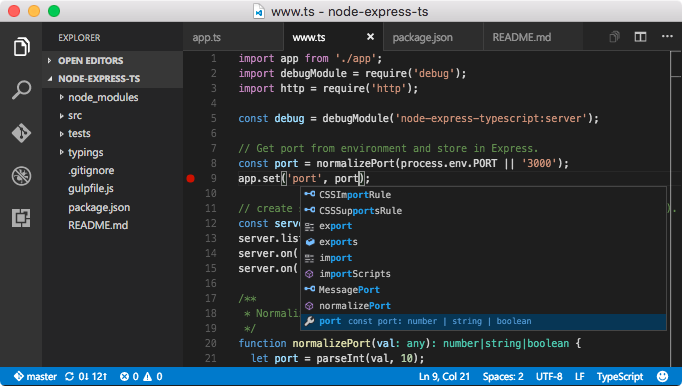
* **Meet IntelliSense:** Go beyond syntax highlighting and autocomplete with IntelliSense, which provides smart completions based on variable types, function definitions, and imported modules.
* **Print statement debugging is a thing of the past:** Debug code right from the editor. Launch or attach to your running apps and debug with break points, call stacks, and an interactive console.
* **Git commands built-in:** Working with Git has never been easier. Review diffs, stage files, and make commits right from the editor. Push and pull from any hosted Git service.
* **Extensible and customizable:** Want even more features? Install extensions to add new languages, themes, debuggers, and to connect to additional services. Extensions run in separate processes, ensuring they won't slow down your editor.
## Package parameters
* `/NoDesktopIcon` - Don't add a desktop icon.
* `/NoQuicklaunchIcon` - Don't add an icon to the QuickLaunch area.
* `/NoContextMenuFiles` - Don't add an _Open with Code_ entry to the context menu for files.
* `/NoContextMenuFolders` - Dont't add an _Open with Code_ entry to the context menu for folders.
* `/DontAddToPath` - Don't add Visual Studio Code to the system PATH.
Example: `choco install vscode --params "/NoDesktopIcon /DontAddToPath"`
## Notes
* The package uses default install options except that it adds context menu entries and Visual Studio Code isn't started after installation.
* For disabling the auto-update functionality see the [Visual Studio Code Auto Update Deactivation package](https://chocolatey.org/packages/visualstudiocode-disableautoupdate).
* **If the package is out of date please check [Version History](#versionhistory) for the latest submitted version. If you have a question, please ask it in [Chocolatey Community Package Discussions](https://github.com/chocolatey-community/chocolatey-packages/discussions) or raise an issue on the [Chocolatey Community Packages Repository](https://github.com/chocolatey-community/chocolatey-packages/issues) if you have problems with the package. Disqus comments will generally not be responded to.**
Total downloads: 0
Tags: microsoft visualstudiocode vscode development editor ide javascript typescript admin foss cross-platform
Description: Build and debug modern web and cloud applications. Code is free and available on your favorite platform - Linux, Mac OSX, and Windows.
## Features
* **Meet IntelliSense:** Go beyond syntax highlighting and autocomplete with IntelliSense, which provides smart completions based on variable types, function definitions, and imported modules.
* **Print statement debugging is a thing of the past:** Debug code right from the editor. Launch or attach to your running apps and debug with break points, call stacks, and an interactive console.
* **Git commands built-in:** Working with Git has never been easier. Review diffs, stage files, and make commits right from the editor. Push and pull from any hosted Git service.
* **Extensible and customizable:** Want even more features? Install extensions to add new languages, themes, debuggers, and to connect to additional services. Extensions run in separate processes, ensuring they won't slow down your editor.
## Package parameters
* `/NoDesktopIcon` - Don't add a desktop icon.
* `/NoQuicklaunchIcon` - Don't add an icon to the QuickLaunch area.
* `/NoContextMenuFiles` - Don't add an _Open with Code_ entry to the context menu for files.
* `/NoContextMenuFolders` - Don't add an _Open with Code_ entry to the context menu for folders.
* `/DontAssociateWithFiles` - Don't associate Visual Studio Code with supported files.
* `/DontAddToPath` - Don't add Visual Studio Code to the system PATH.
Example: `choco install vscode.install --params "/NoDesktopIcon /DontAddToPath"`
## Notes
* The package uses default install options except that it adds context menu entries and Visual Studio Code isn't started after installation.
* For disabling the auto-update functionality see the [Visual Studio Code Auto Update Deactivation package](https://chocolatey.org/packages/visualstudiocode-disableautoupdate).
* Version 1.83.1 is the last version which is available in 32-bit and 64-bit. All later versions are 64-bit only.
* **If the package is out of date please check [Version History](#versionhistory) for the latest submitted version. If you have a question, please ask it in [Chocolatey Community Package Discussions](https://github.com/chocolatey-community/chocolatey-packages/discussions) or raise an issue on the [Chocolatey Community Packages Repository](https://github.com/chocolatey-community/chocolatey-packages/issues) if you have problems with the package. Disqus comments will generally not be responded to.**

Total downloads: 0
Tags: microsoft visualstudiocode vscode development editor ide javascript typescript admin foss cross-platform
Description: Uninstalling this package removes the Visual Studio Installer, which remains present after the Visual Studio product packages (such as [visualstudio2017enterprise](https://chocolatey.org/packages/visualstudio2017enterprise) or [visualstudio2019buildtools](https://chocolatey.org/packages/visualstudio2019buildtools)) are uninstalled.
This package does not install anything by itself.
Total downloads: 0
Tags: microsoft visual studio visualstudio vs 2017 2019 installer admin
Description: This update is a cumulative update that includes the security updates and the non-security updates for Windows RT 8.1, Windows 8.1, and Windows Server 2012 R2 that were released before March 2014. In addition to previous updates, it includes features such as improved Internet Explorer 11 compatibility for enterprise applications, usability improvements, extended mobile device management, and improved hardware support.
All future security and nonsecurity updates for Windows RT 8.1, Windows 8.1, and Windows Server 2012 R2 require this update to be installed.
On systems other than Windows 8.1 or Windows Server 2012 R2, this package installs successfully, but does nothing.
This update is required to install Visual Studio 2015 on Windows 8.1 or Windows Server 2012 R2.
Total downloads: 0
Tags: Microsoft Visual Studio 2015 Windows Update KB2919355
